
Local SEO
The Complete DIY Guide to Google Business Profile Optimization (2026)
By Serhii Dovzhenko - Updated September 15, 2026 - 20 min read
Short answer
Google Business Profile ranking comes down to three things - relevance (categories, name, services), distance (your verified address) and prominence (reviews, links, mentions, activity). Everything below is the exact checklist we run for clients, in order, with what each step does and how to do it yourself. Budget 2-3 days for the first pass and 2-3 hours a month after that.
This is the process we use on every Local SEO engagement at North SEO. Nothing here needs paid tools except where noted. If you would rather have us do it, our Local SEO service starts at $395/month for small markets; the guide is the same either way.
Contents
- Before you touch anything: the audit
- Access, ownership and verification
- Business name
- Categories
- Address and service area
- Phone, website and links
- Hours
- Description
- Services
- Products
- Attributes
- Photos and videos
- Google Posts
- Reviews
- Q&A and messaging
- Your website’s role
- Citations and local links
- Tracking and reporting
- Monthly maintenance
- What not to do
1. Before you touch anything: the audit
Why it matters: most profiles we take over are not under-optimized, they are broken in a way the owner cannot see - a wrong postal code, a duplicate listing, a phone number shared with another company. Fixing content on top of a broken foundation wastes the work.
1.1 Set up rank tracking first
Do this before any edit. Profile changes usually cause a short ranking dip before the climb, and without a baseline you will only see the dip.
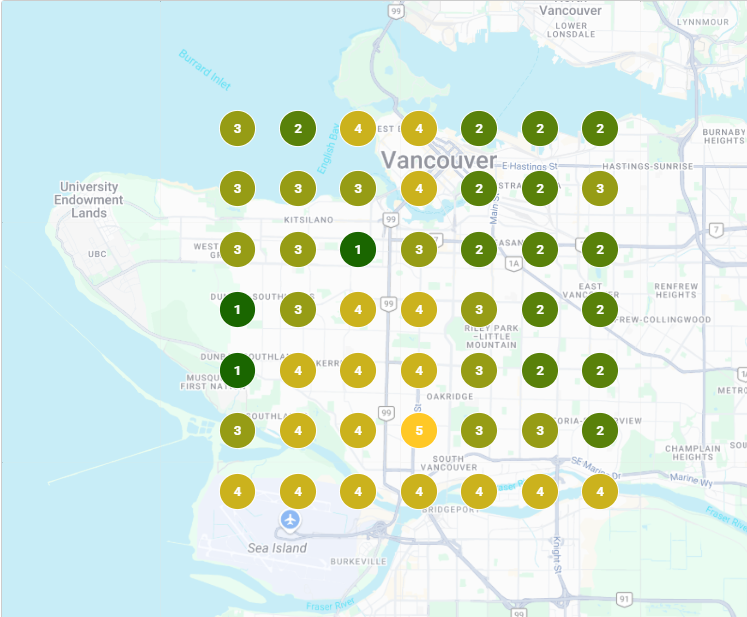
How: pick 5-10 keywords a customer would type (emergency plumber burnaby, plumber near me). Use a geo-grid tracker (Local Falcon, Local Viking, BrightLocal, or the free scan in most of them) centred on your address, 5x5 grid, 1-2 km spacing for a city, 500 m for a dense downtown. Save the screenshot. Check it again in 30 days.
1.2 Check for duplicates and suspensions
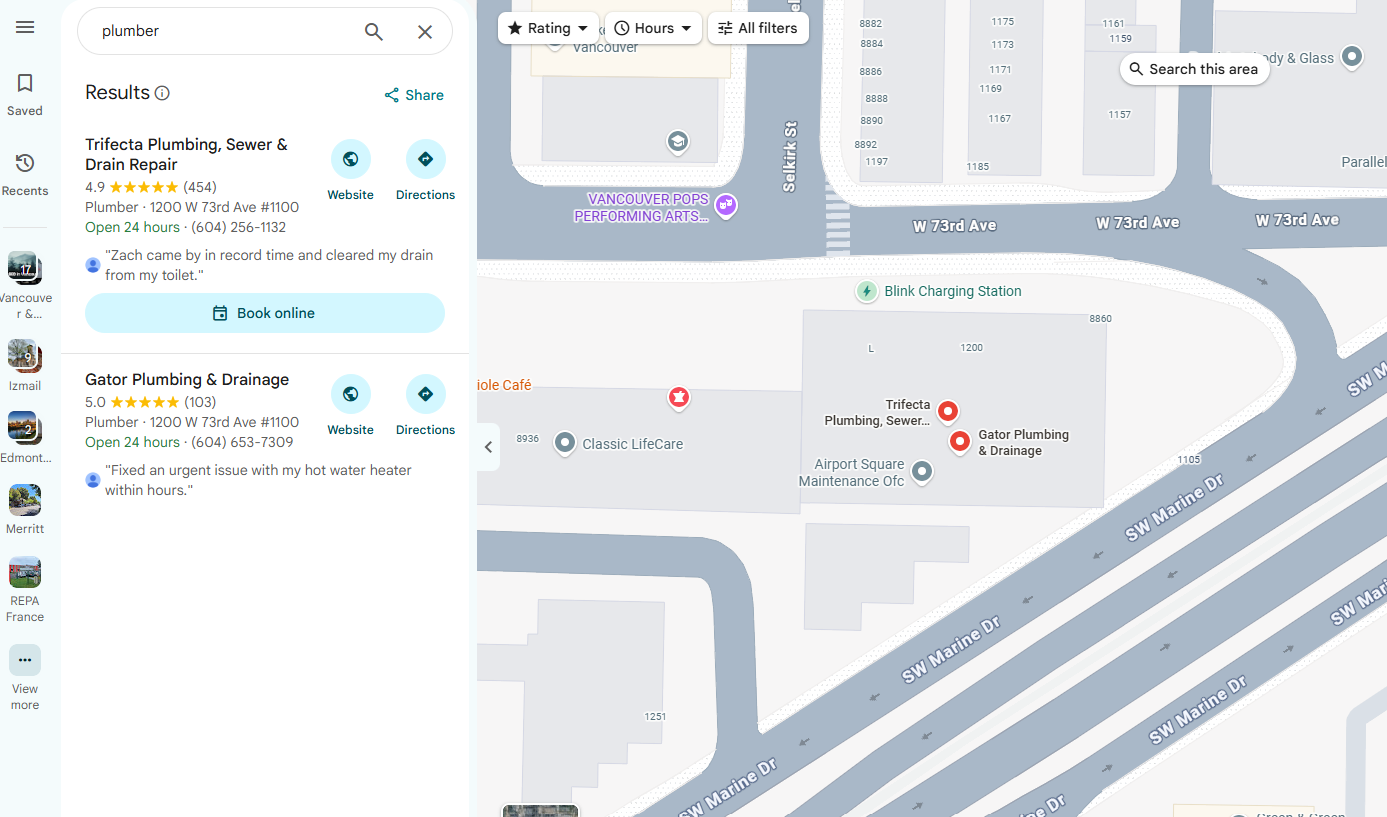
How: - Search your business name in Google Maps. Search your phone number in quotes on Google. Search your street address. Every profile that comes up that is you, or was you, is a duplicate that needs to be merged or marked closed. - Ask yourself honestly: did you or a previous marketer ever create a profile before? Old ones surface under old names. - Search your brand name in a normal Google search. If your profile does not appear for your own name, it is either unverified, filtered or suspended. Suspension shows in the profile manager as a red banner.
1.3 Validate the address
Your address has to match what the postal service says, not what you think it is.
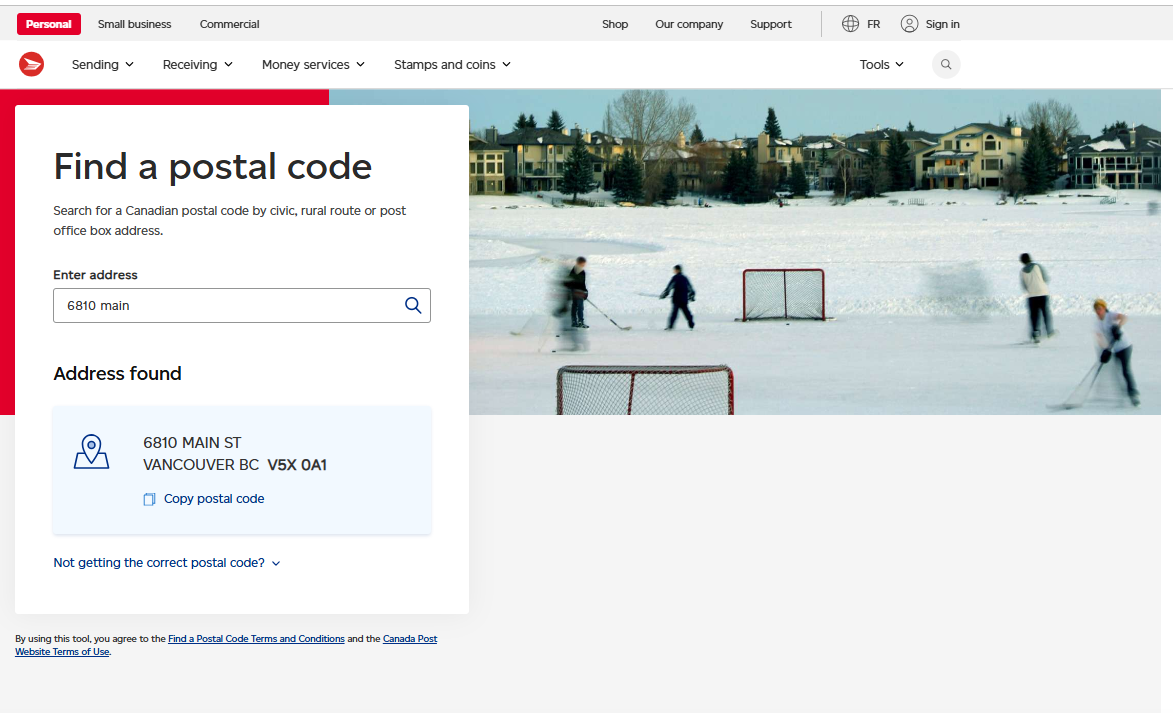
How: Canada - look the address up on Canada Post’s postal code finder. US - USPS ZIP lookup. Tools like Melissa’s free address checker do both. The most common error we find: Google auto-suggests the city’s general postal code instead of the code for your specific street. Fix it in the profile to match the postal record exactly.
If your street was renamed and Google still shows the old name, do not fight the main address line. Put the clarification in address line 2.
1.4 Check the address for eligibility problems
Some addresses cannot hold a profile no matter how well you optimize:
- PO boxes, mailbox stores and virtual offices - not allowed.
- Coworking spaces - only with permanent signage and your own dedicated room, staffed during listed hours.
- A second business of the same category at the same address - Google may treat one as a duplicate.
- Home addresses - allowed, but hide the address (service-area business) if customers do not visit.
1.5 Check the phone number
How: Google the number in quotes. If it returns another business, an old tenant, or spam-caller reports, get a new number. A number with history is harder to clean than to replace.
1.6 NAP decision
NAP = name, address, phone. Before building anything, decide the one canonical version of all three and write it down. Same spelling, same suite format (#300, not Suite 300 in one place and Unit 300 in another), same phone format. Every citation, your website footer and your socials will use this exact string.
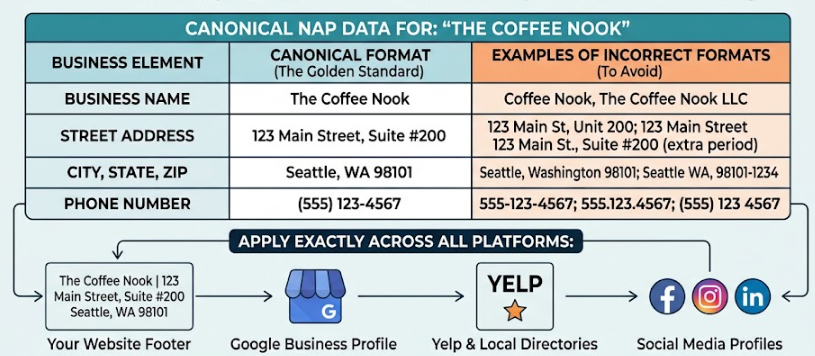
Ask the question we ask every client: are you planning to move, change the number or change the name in the next 12 months? If yes, wait or plan for it. Every listing built now carries today’s details.
1.7 Read the guidelines - in English
Google’s Business Profile guidelines change several times a year. Translated versions lag by a year or more. Read the English page before verification, because Google will not pass a profile that breaks them, and after verification the same rules decide whether you get suspended.
2. Access, ownership and verification
Does not influence rankings, but nothing works without it.
Ownership
The business owner - not the agency, not the web designer, not an employee - should be Primary Owner, on a company-domain email if possible. Agencies and staff get Manager access. Manager can edit everything, post and reply to reviews; only Owners can add or remove people or delete the profile.
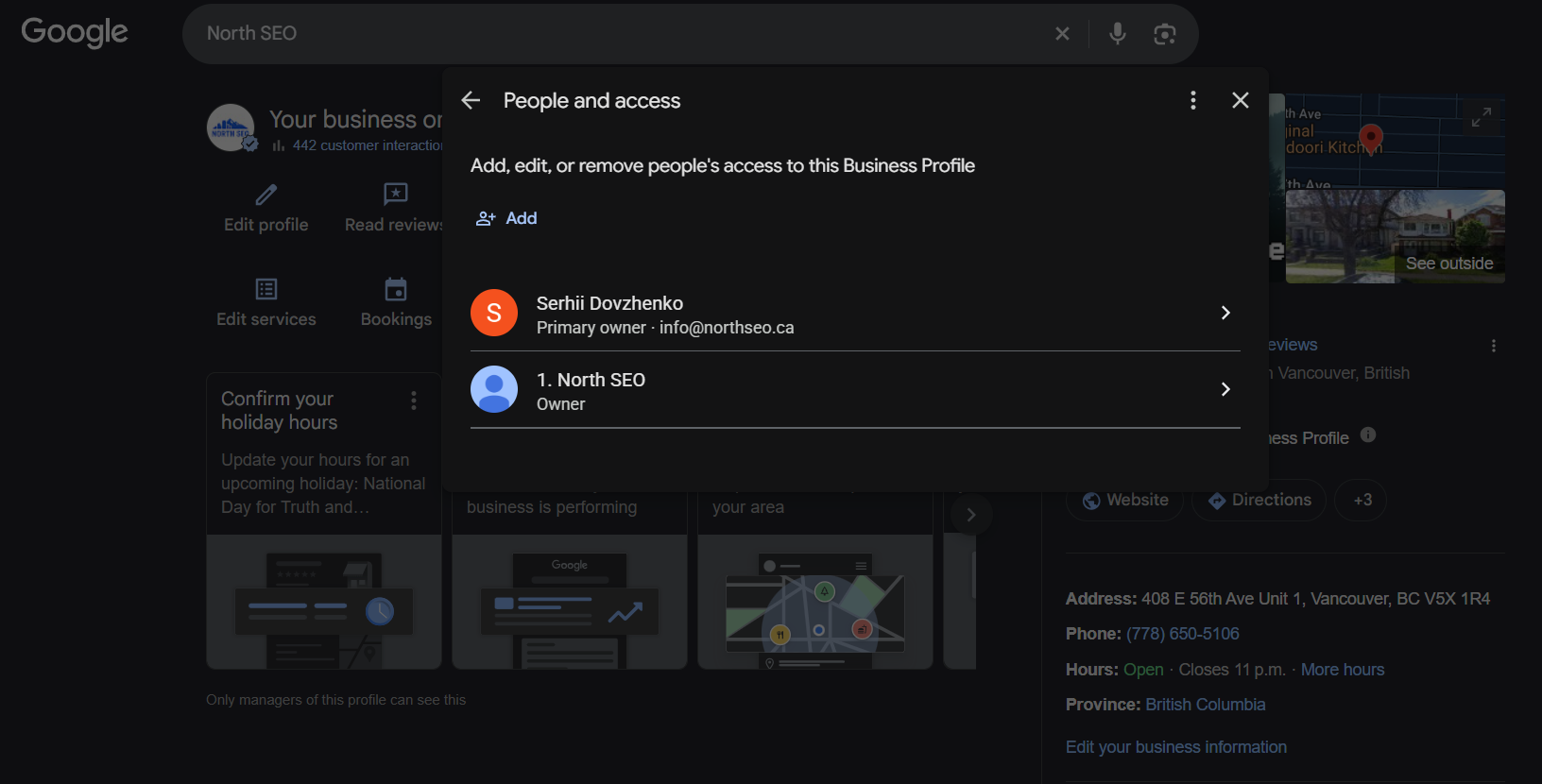
How: Profile manager → three dots → Business Profile settings → People and access. Remove anyone who no longer works with you. Note the Business Profile ID on the Advanced settings page - support will ask for it if anything goes wrong.
Claiming an existing profile
Go to business.google.com/create and type the business name. If a listing already exists, Google shows it; click it and request access. The current owner has three days to respond. If they do not, you can proceed to verification yourself.
Verification
Video verification is now the default and it is painful: you walk through the premises on camera showing signage, the street, the interior and proof you work there (a key, a till, a branded vehicle). Do it in one continuous take, in daylight, with the address visible.
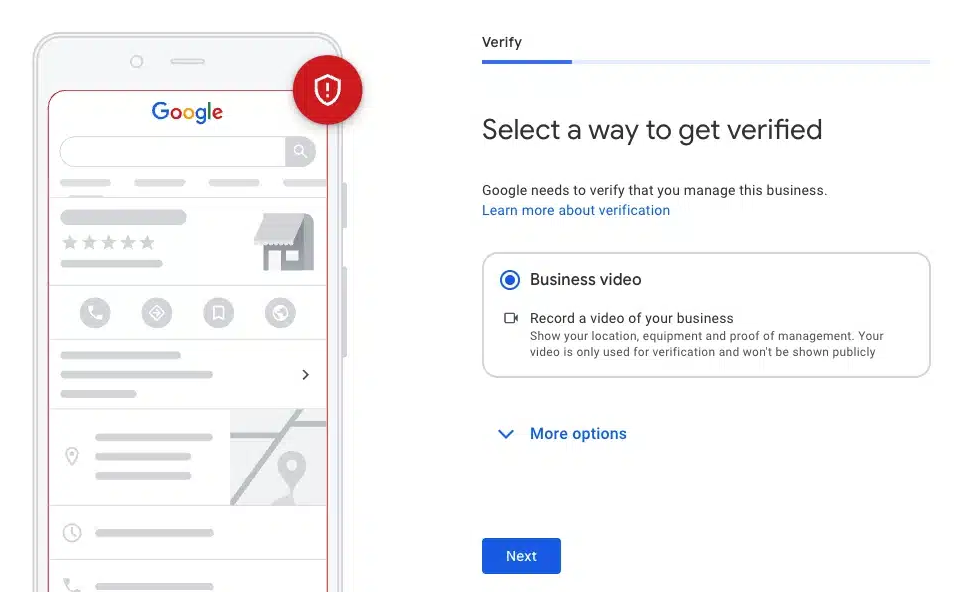
How to improve your odds of an easier method: have your website live with the NAP in the footer of every page, connected to Search Console and GA4, and 5-10 citations on major directories already indexed before you verify. Profiles that Google can corroborate elsewhere are more likely to get phone, email or instant verification.
3. Business name
Influences rankings - strongly.
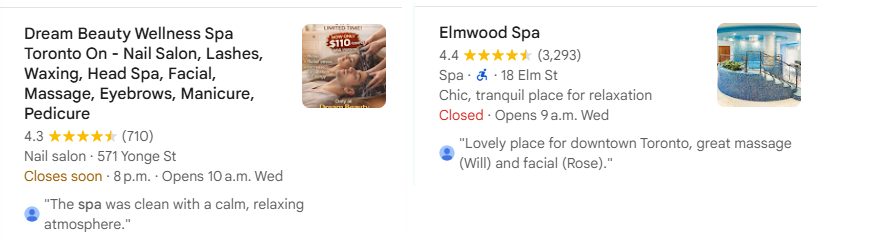
Google matches searches against the name field with more weight than any other field. That is why competitors stuff keywords in their names (“Mike’s Plumbing - Emergency Plumber Burnaby”).
Our position: use your real-world name, exactly as it appears on your signage, website and business registration. Keyword-stuffed names violate the guidelines, get reverted by Google, and are the first thing a competitor reports. In sensitive niches (dental, medical, legal) they are also a suspension risk.
If your legal name genuinely contains a keyword (“Burnaby Plumbing Ltd.”), use it. If you want a keyword in the name, change it for real: register the DBA, update the signage, the website and every citation, then update the profile. Anything less is a temporary trick.
4. Categories
Influences rankings - the #1 factor after distance.
Your primary category tells Google what searches to show you for. The nine secondary categories extend that.
Choose the primary category
Pick the most specific category that matches the search you most want to win. “Lawyer” is worse than “Personal injury attorney”. “Dentist” is right for a general practice; “Cosmetic dentist” is right if implants and veneers are your revenue.
Research what competitors use
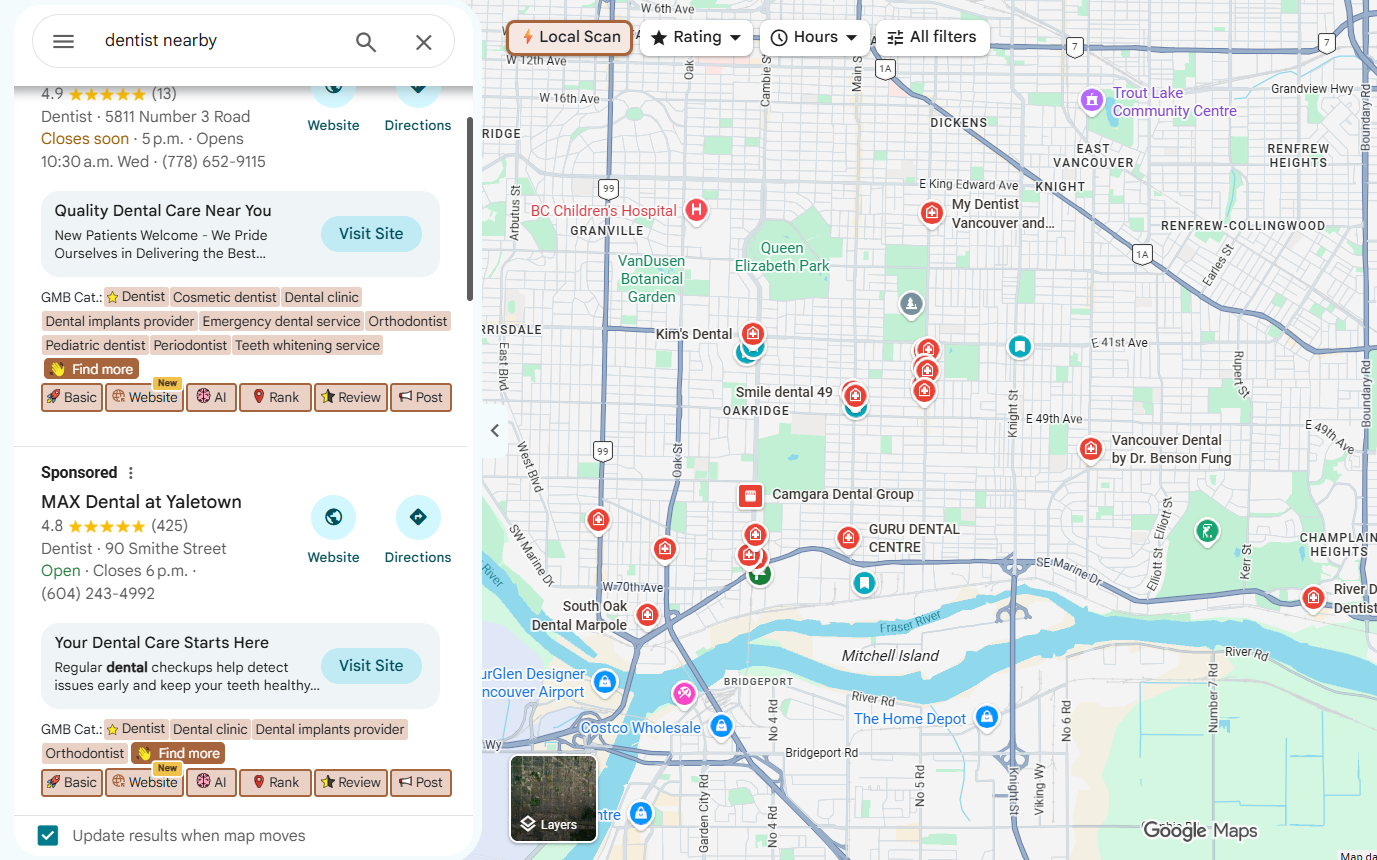
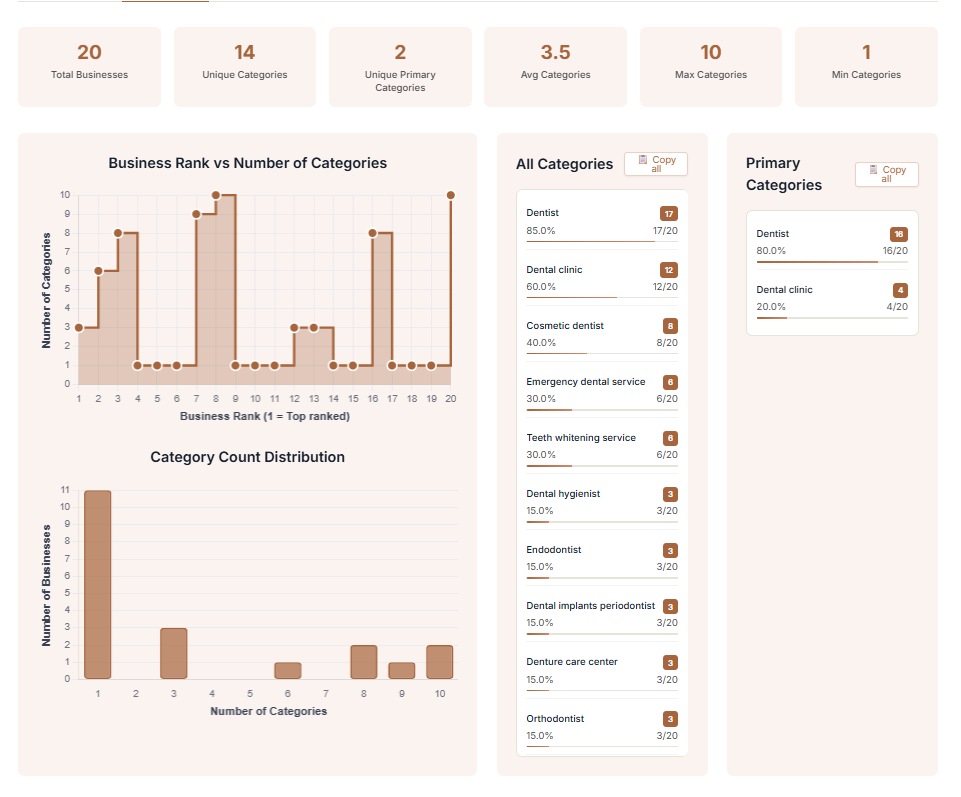
How: install the GMB Everywhere extension (free). Search your main keyword in Google, open the local pack, and the extension shows the primary and secondary categories of every business ranking. Put them in a spreadsheet: category, how many of the top 10 use it, whether it applies to you. Pick your primary from what the top 3 use. Add every secondary that is true for your business, ordered by how often it appears in the top 10.
Seasonal primary category
If your revenue flips with the season - heating vs air conditioning, lawn care vs snow removal - change the primary category with the season. Google re-evaluates within days.
Keep checking
Google adds and renames categories every month. Check the list every 6 months (Pleper keeps a public change log). A new category with no competition in it is free visibility.
5. Address and service area
Influences rankings - distance is the second factor.
Your ranking radius is anchored to the verified address. Service areas you draw on the map do not extend it; they only tell customers where you go.
Storefront businesses
Show the address. Put the suite number on line 2. Set the map pin precisely on the entrance - open the profile, drag the pin.
Service-area businesses (plumbers, cleaners, mobile detailers)
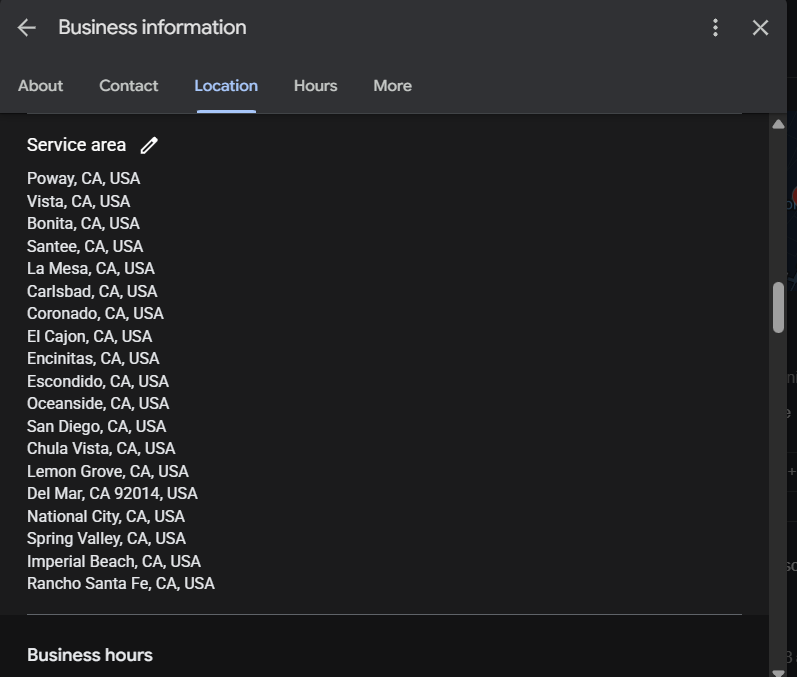
If customers never visit, hide the address. Set up to 20 service areas by city or postal code, within roughly two hours’ drive. You still verify at the real address, and you still rank from it.
Hybrid
Show the address and add service areas.
Multiple locations
One profile per location, each with its own phone number and its own page on the website. Never merge two locations into one profile or one web page - Google treats it as one entity and you lose one of the two markets.
6. Phone, website and links
Phone - does not influence rankings
Primary number first. Use a call-tracking number as the primary (CallRail, CallTrackingMetrics) and your real number as the secondary so citation matching still works. The profile’s own call count only counts mobile taps on the Call button; a tracking number counts everything.
Website - influences rankings
Link to the page that best matches the profile: the homepage for a single location, the location page for multi-location businesses. That page must carry the NAP, an embedded map, the primary-category keyword in the title and H1, and the services listed on the profile. Add UTM parameters so GA4 shows GBP traffic separately:
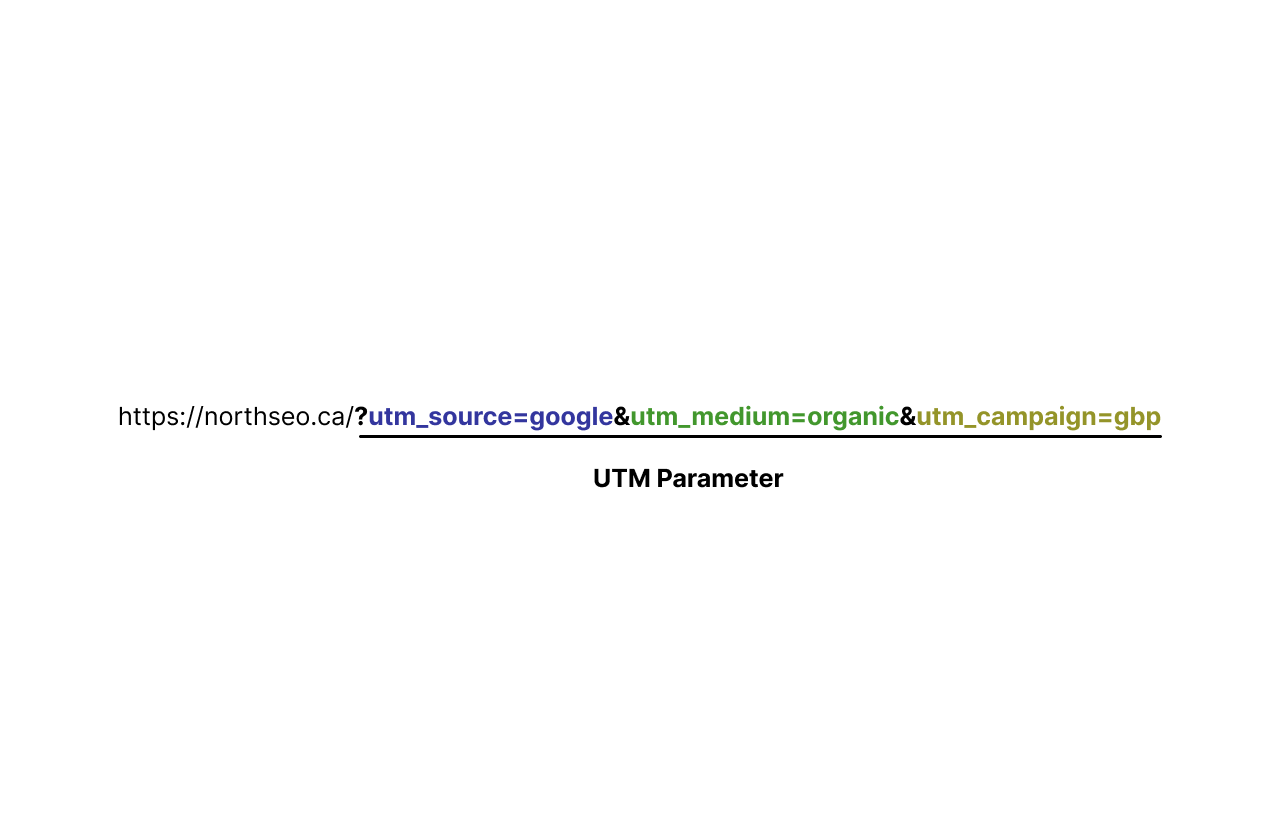
?utm_source=google&utm_medium=organic&utm_campaign=gbp
Appointment and booking links
Add an appointment URL to your contact or booking page (with UTMs). If you use Square, Mindbody, Fresha or another Reserve-with-Google partner, connect the booking button - customers book without leaving Maps.
Social profiles
Add all of them. No ranking effect, but Google now shows social posts on brand searches, and every link is another confirmation of the entity.
The three links that work
When you share your profile - in an article, an email, a citation - use one of these:
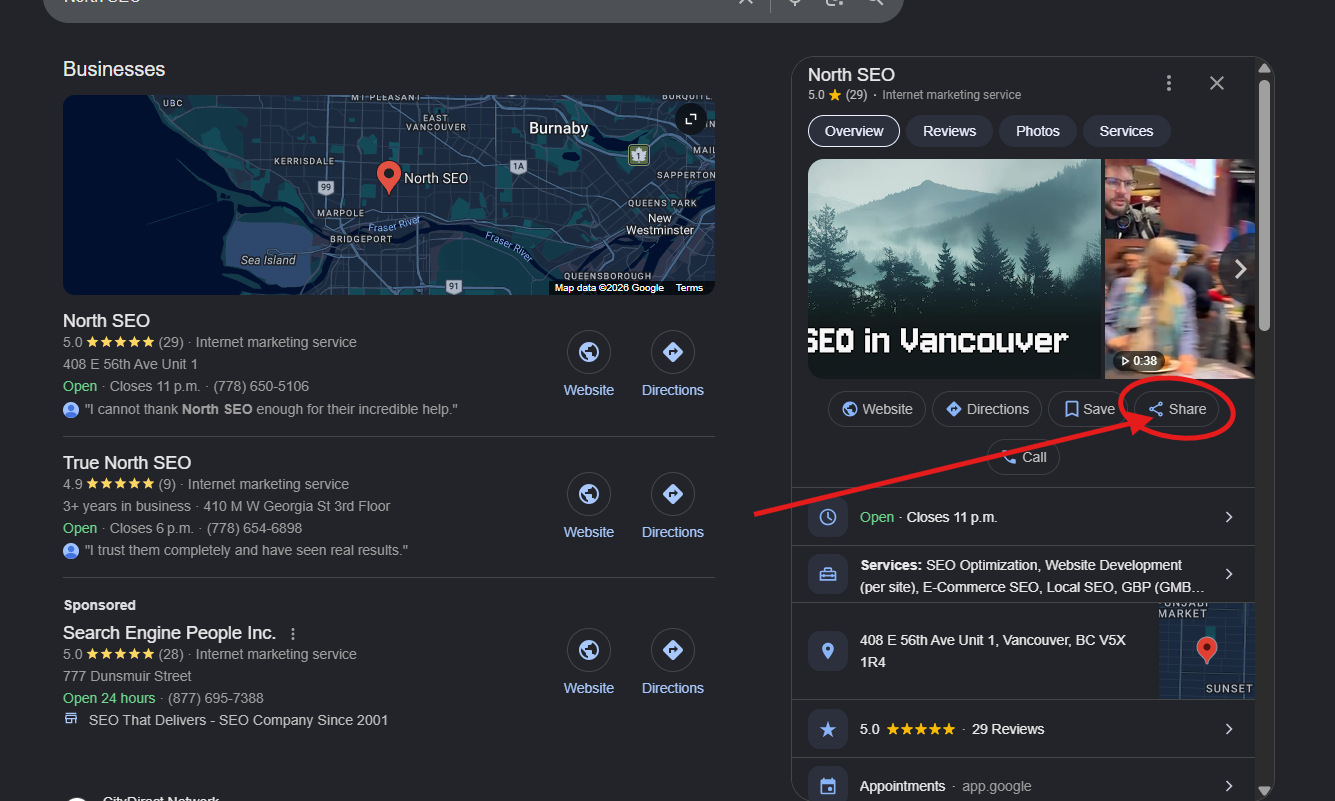
- The Maps share link (Share → Copy link).
- The
g.page/yourbusinessshort link from the profile manager. - The review link from “Ask for reviews”.
Do not copy the URL from a Google search results page. It contains your location parameters and can open a different business for someone searching from another city. Test every link in an incognito window before you use it.
7. Hours
Influences rankings.
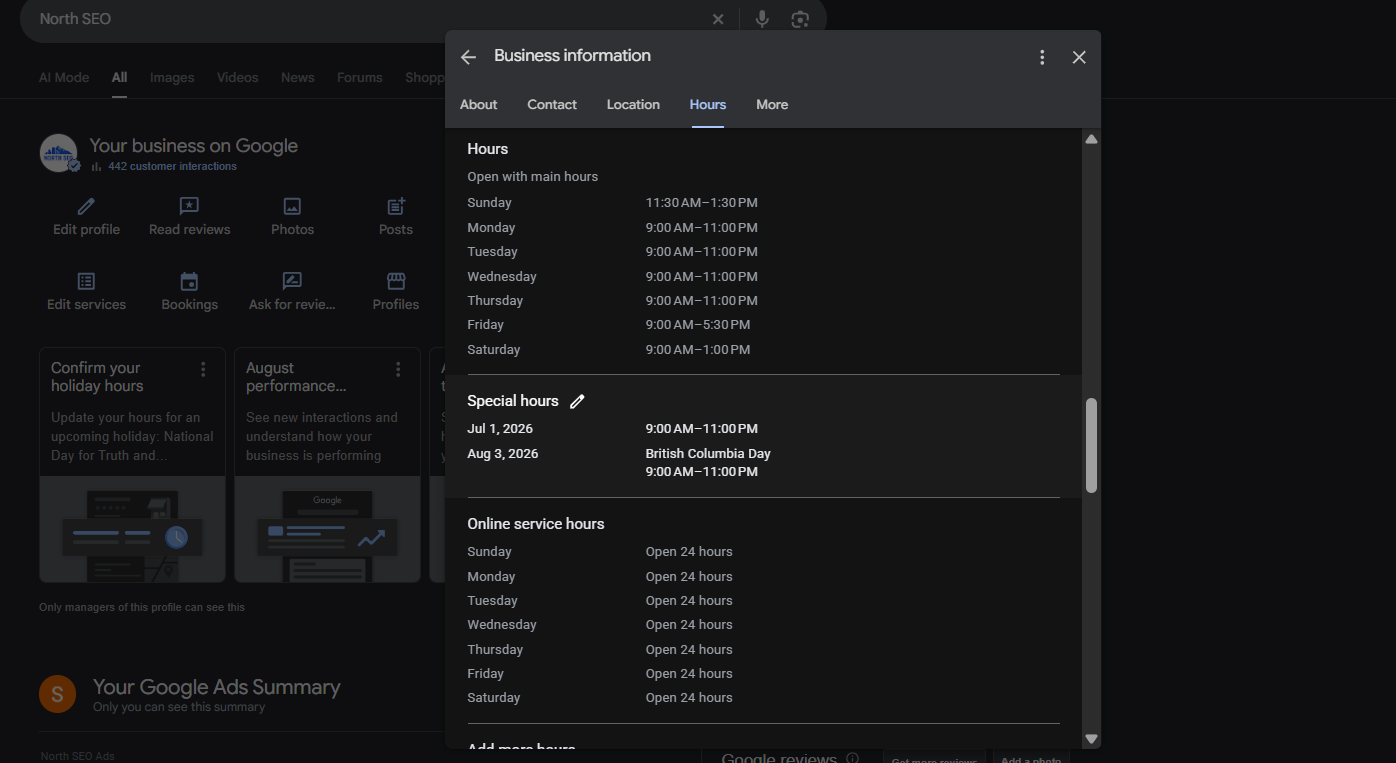
Google prefers businesses that are open at the moment of the search. A competitor open until 7 pm outranks you from 5 to 7 pm if you close at 5.
How: set exact regular hours. Add special hours for every holiday for the year ahead (do it in January). Add “More hours” for drive-through, pickup or senior hours if applicable. Never set 24 hours unless someone actually answers the phone 24 hours - a customer who calls at 2 am and gets voicemail leaves a 1-star review.
Seasonal businesses: mark “temporarily closed” in the off-season and reopen a month before the season starts so bookings fill before the rush.
8. Description
Does not influence rankings.
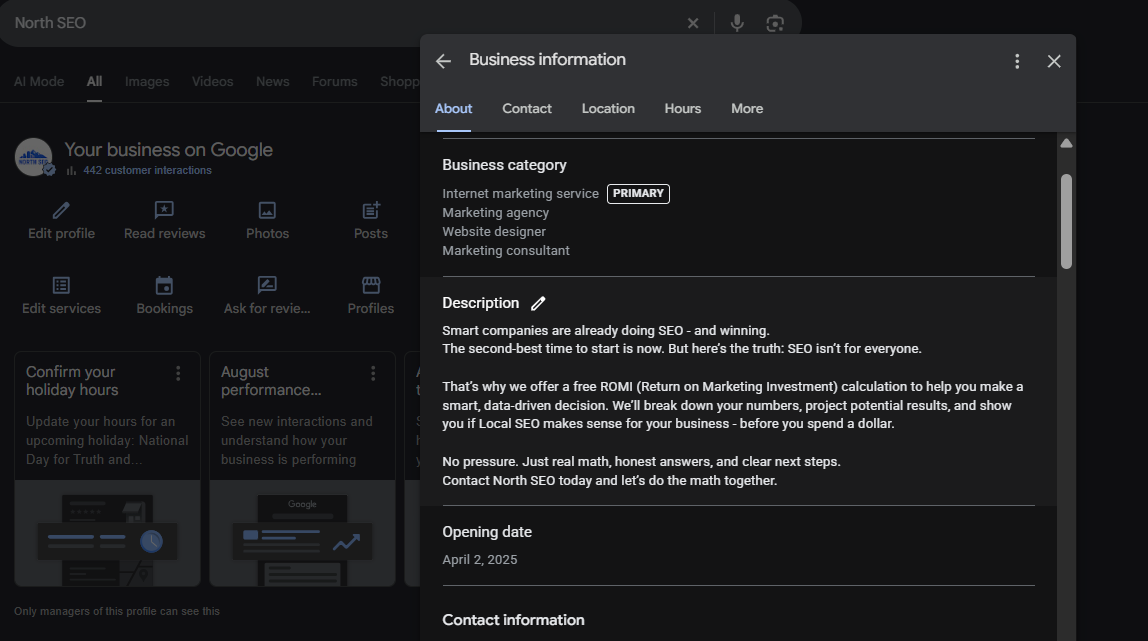
750 characters. Google has said the field is not used in ranking, and tests agree. Write it as an ad, not a keyword list: who you serve, what you are best at, why you and not the next listing. No phone numbers, URLs, prices or promotions - those trigger rejections.
How we write it: one sentence on what you do and where, two on what makes you different (years, specialty, guarantee), one on who you serve, one call to action. Mention the city once. Read it aloud.
9. Services
Influences rankings - particularly long-tail.
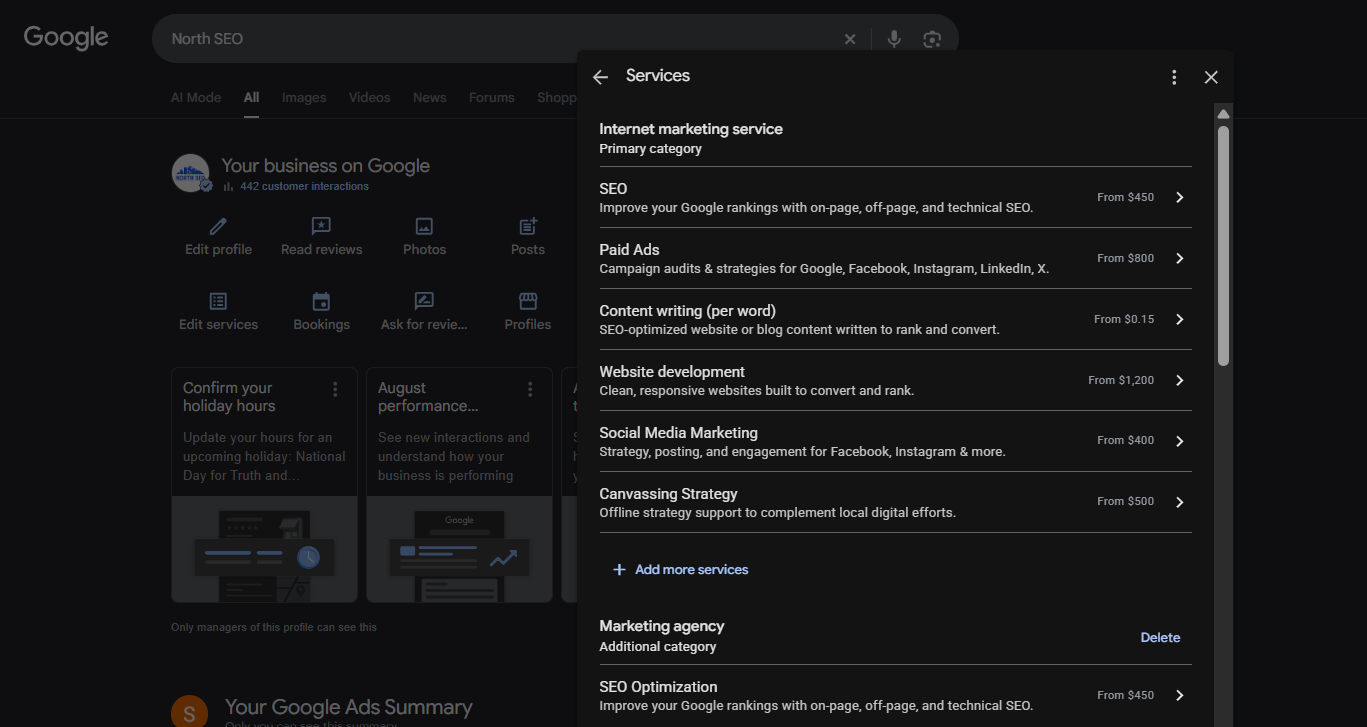
Since 2023, services on the profile have measurable ranking effect, and they trigger “Provides: X” labels under your listing in the local pack.
How: Edit services → under each category Google offers predefined services; tick every one you offer. Then add custom services for anything missing, named the way a customer would search (“Hot water tank replacement”, not “HWT”). Add a 2-3 sentence description and a price or price range to every one - almost no competitor does, and it is what a customer compares.
For a mid-size city business we load 10-25 services. Check the list every few months: Google adds services to profiles automatically and sometimes adds ones you do not offer.
10. Products
Influences rankings only via Merchant Center; otherwise a conversion feature.
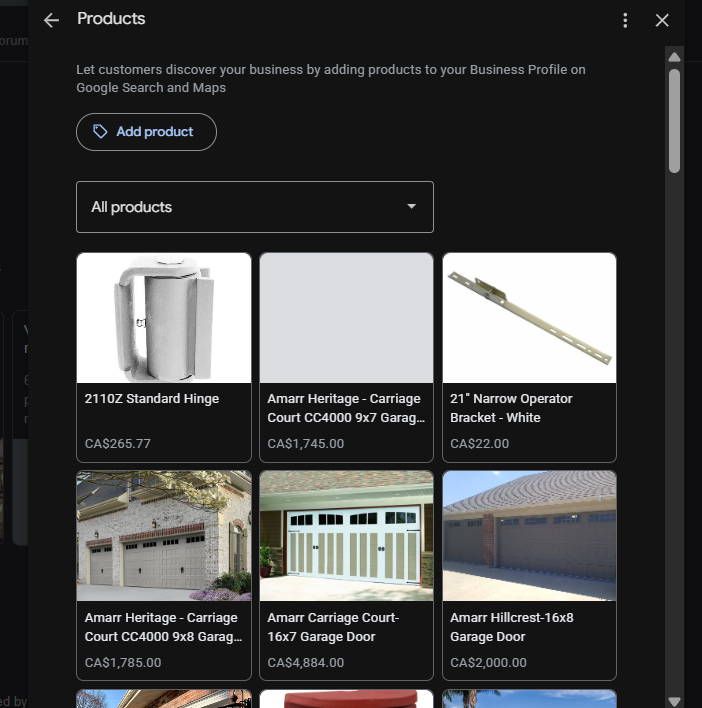
Two routes:
- Retailers: connect Merchant Center (or Pointy from your POS). Products then rank in product searches and appear in “See what’s in store”.
- Everyone else: use the Products editor manually. It does not rank you, but it sits high on the profile with images and a link to your page. Service businesses: list your top services as products with a photo, price range and “Learn more” link. That is what we do for every service client.
11. Attributes
Influences rankings only when the search names the attribute.
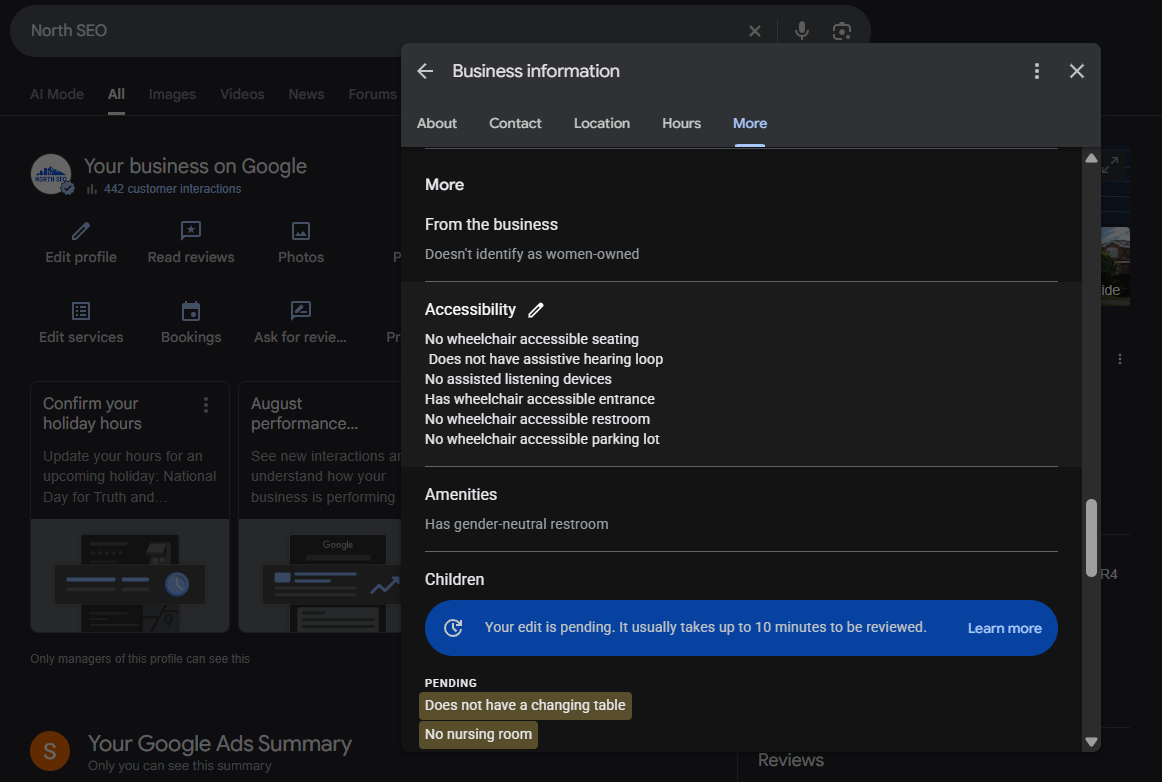
“Women-owned”, “wheelchair accessible”, “online appointments”, “on-site parking” - attributes do nothing for “dentist burnaby” but decide the result for “wheelchair accessible dentist burnaby”.
How: Edit profile → More. Tick everything that is true. Re-check quarterly; Google adds attributes per category without telling you. Some attributes (like “LGBTQ+ friendly” or awards) come from customers or from Google reading your site; you cannot set them, but you can earn them.
12. Photos and videos
Influences rankings and conversion.
Google’s image recognition reads your photos to understand what the business does. A dentist’s profile full of stock lobby photos reads as “furniture”; photos of a dentist with a patient read as “dentist”.
What to upload
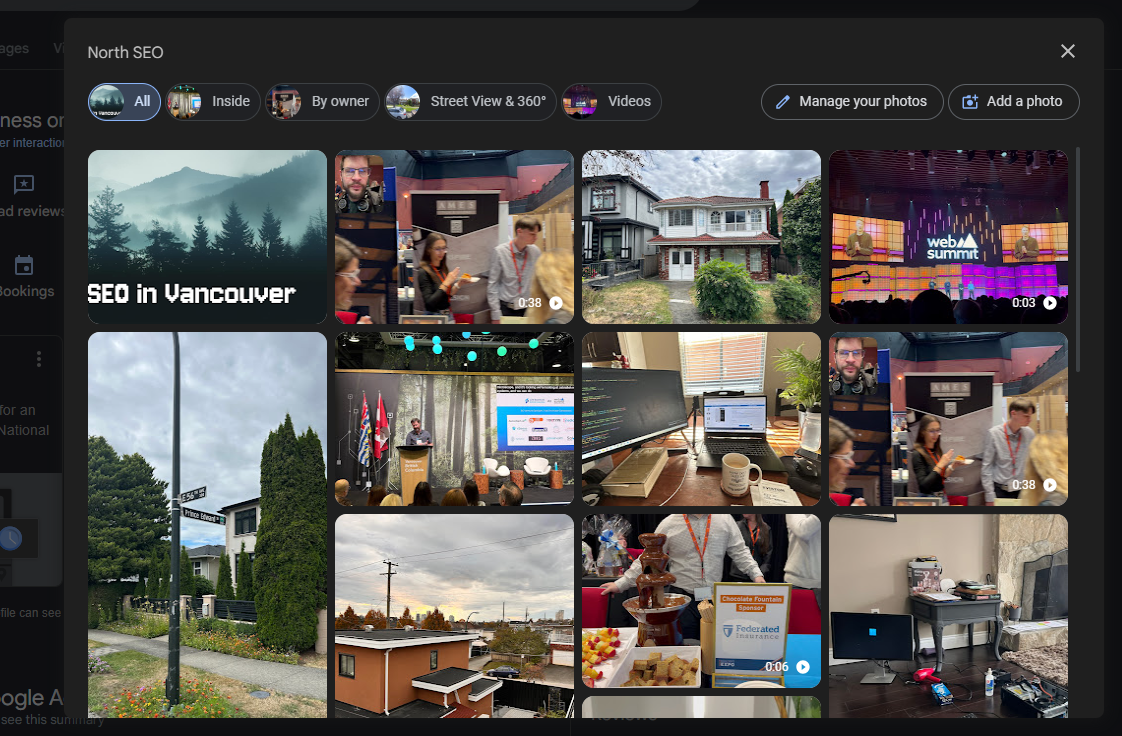
At least: logo, cover, exterior with signage, interior, team, work in progress, finished work, and screenshots of your best reviews. No stock photos - remove any that are there.
How to prepare them
- 1200x900 or larger, JPG, under 5 MB, sharp, well lit, no heavy filters.
- File name:
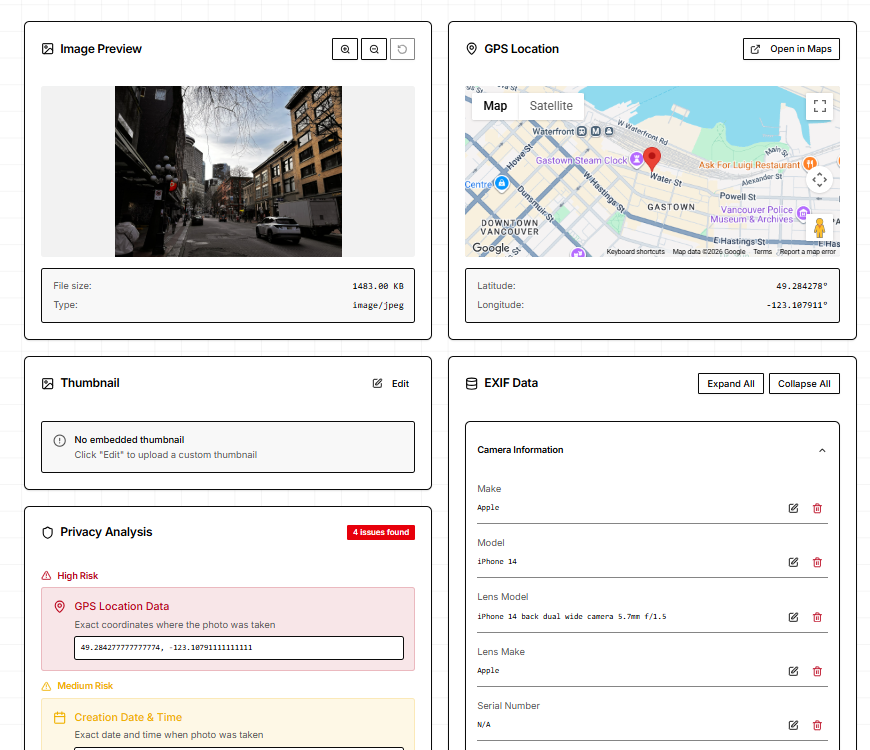
burnaby-plumber-water-heater-install-01.jpg. - EXIF: set the GPS location to the business address and add the business name in the title/description fields. Google strips EXIF on upload, so treat this as hygiene rather than a ranking lever - the ranking benefit comes from what is in the photo.
- Run a few through Google’s Vision AI demo before uploading to see what Google thinks it sees.
Cadence
5-10 photos at setup, then 2-4 a month. Recent photos are a freshness signal and give customers something newer than 2019 to look at.
Video
Under 75 MB, 720p+, shot at your premises. A 30-second walkthrough, a team intro or a job in progress. Two or more videos create a Videos tab.
Monitor customer uploads
Anyone can add photos. Check monthly and report anything inaccurate or offensive.
13. Google Posts
Does not influence rankings directly. Free ad space.
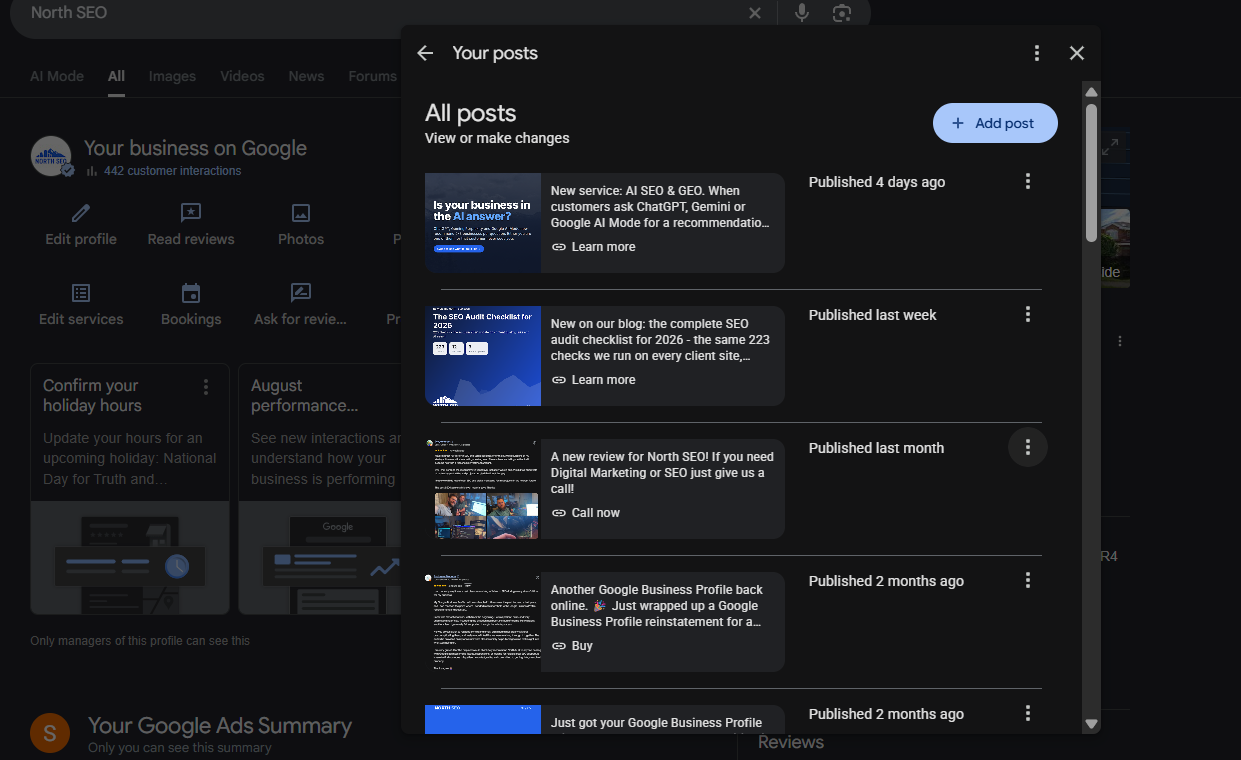
Posts appear on your profile and in brand searches. They do not expire any more.
How we do it: 10 posts in the first month, then 1 a week. Each post is built around one service keyword with a photo of that service, 100-300 words (only the first ~20 show before “read more”), and a CTA button with a UTM-tagged link. Types: Update for services and results, Offer for time-limited deals (add a code so you can track redemptions), Event for anything with a date.
Write them to sell, not to entertain - the person reading a Google Post is already shopping. No phone numbers in the text (Google rejects it); use the Call button instead. Schedule them natively in the profile manager or with Publer.
14. Reviews
Influences rankings and is the top conversion factor.
Four of the top twenty local ranking factors are review-related: rating, count, velocity (new reviews arriving steadily) and recency. Keywords in review text also help you show for those searches.
Get the link
Profile manager → Ask for reviews. Turn it into a QR code (any free generator). Put both on invoices, receipts, the van, the front desk and your email signature.
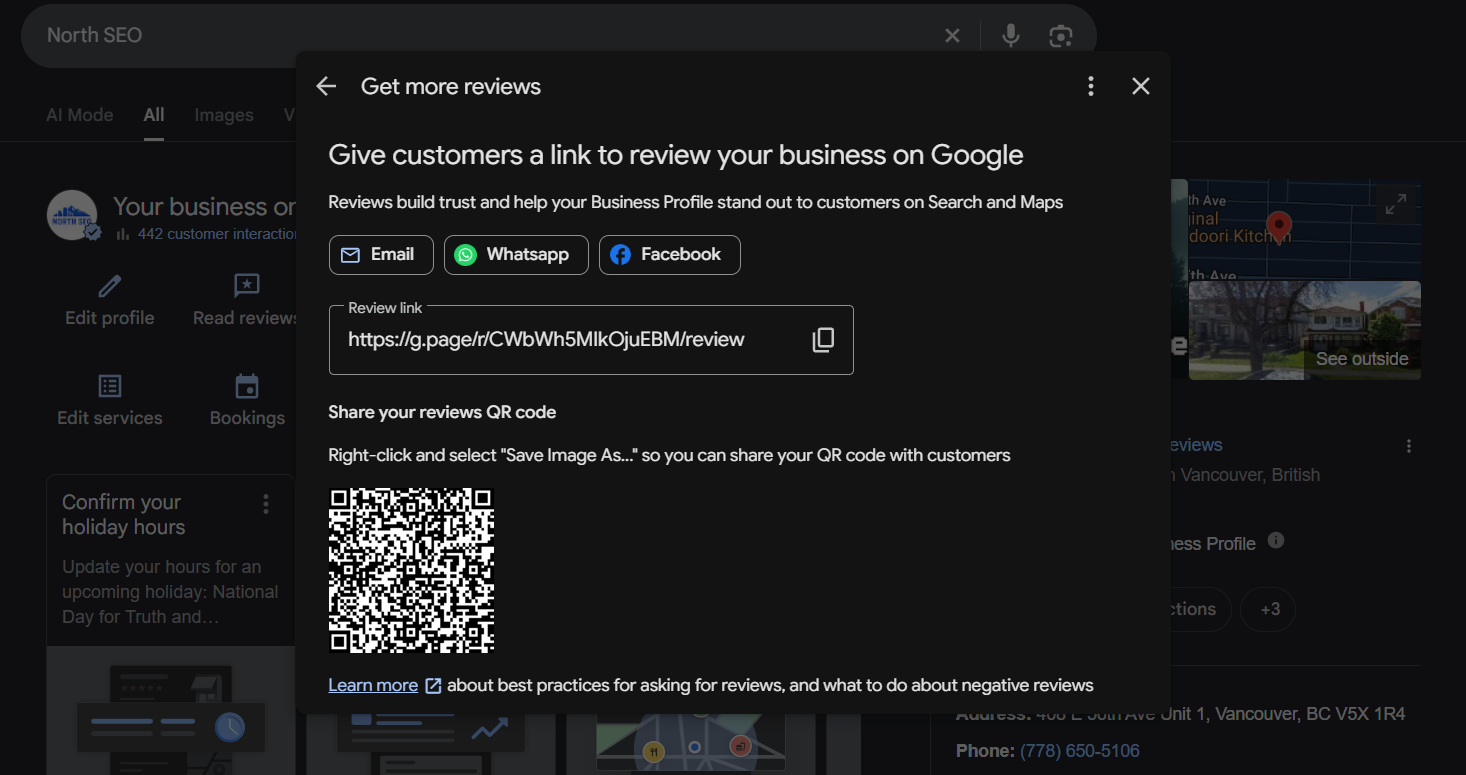
Ask every customer, the same way, every time
A review system beats a review push. The ask goes out the day the job finishes, by text or email, personal, with the link, and a follow-up three days later. Prompt them: “Would you mind mentioning what we did and where? It helps other people find us.” That is how service keywords get into reviews without you writing them.
What you cannot do
No incentives to customers (rewarding staff for asking is fine). No review gating (sorting happy customers to Google and unhappy to a form). No reviews from staff, family or your own accounts. Google detects patterns - 20 reviews in a week after two years of silence is a flag.
Respond to every review
Within 48 hours. Positive: thank, mention the specific job, invite them back. Negative: acknowledge, apologize once, move it offline with a name and number, do not argue. Responses are read by the next customer, not the reviewer. Respond to the old ones too when you take over a profile.
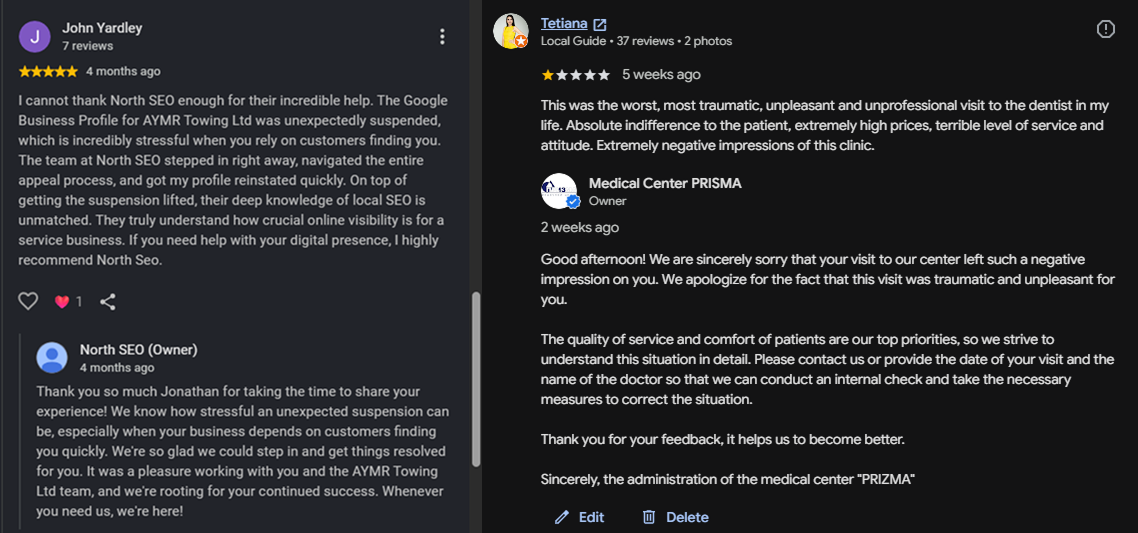
Fake or abusive reviews
Report through the profile manager’s review management tool, with evidence (no record of the customer, competitor account, off-topic content). Removal takes days to weeks and is not guaranteed.
Do not chase a perfect 5.0
Ratings between 4.5 and 4.9 convert as well or better than a flawless 5.0 with few reviews. A couple of honest 3-star reviews with good responses make the 5-stars believable.
15. Q&A and messaging
Does not influence rankings.
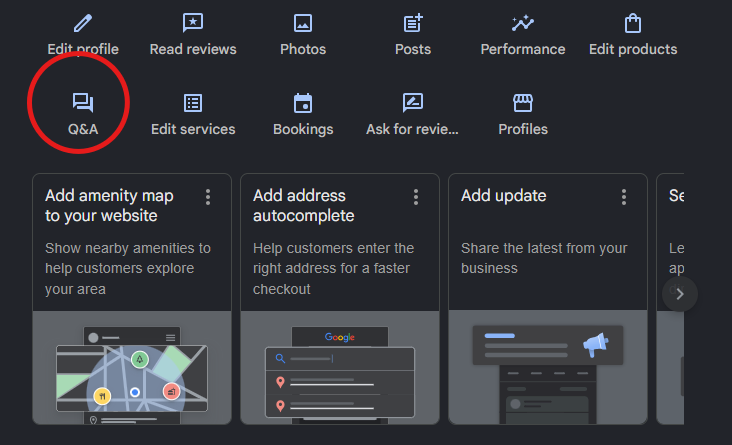
Q&A is being wound down (the API was shut in late 2025) but still shows on profiles. Seed it yourself with your 5-8 real FAQs - “Do you charge a call-out fee?”, “Are you licensed and insured?”, “Do you work weekends?” - and answer them as the business. Check monthly; anyone can post a question or an answer, including competitors.
Messaging: turn it on only if someone will answer within a few hours. Google shows response time on the profile, and slow response looks worse than no chat.
16. Your website’s role
Influences rankings.
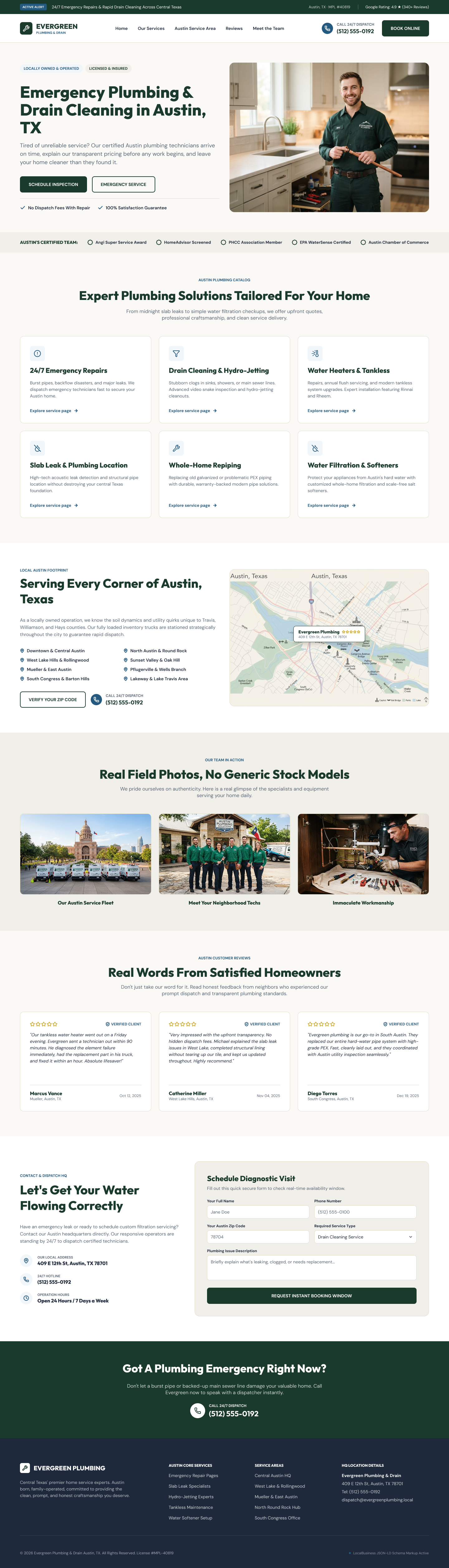
The page your profile links to is part of the profile in Google’s eyes. It needs:
- NAP in the footer, identical to the profile, marked up with LocalBusiness schema.
- Title and H1 with the primary category and city.
- An embedded Google Map of your listing.
- Every service on the profile also on the site, ideally as its own page.
- Reviews embedded (a plugin or a manual “what customers say” block).
- Real photos, the same ones as the profile.
Multi-location: one page per location, each linked from its own profile. Single location: the homepage can do it if it carries all of the above.
17. Citations and local links
Influences rankings - prominence.
Citations
A citation is your NAP on another site. Consistency matters more than volume; 30 correct listings beat 150 with three phone formats.
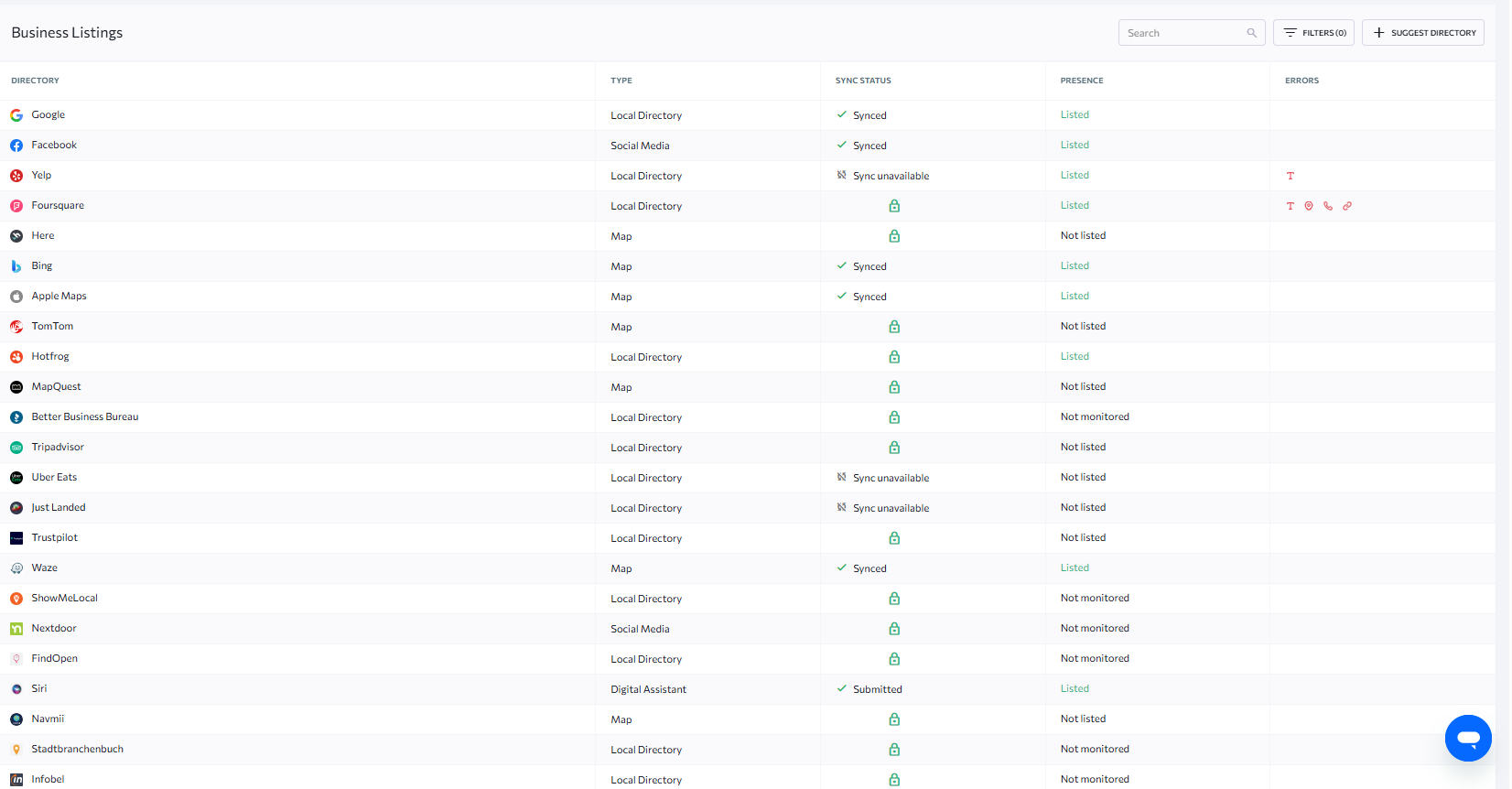
How - manual, not automated: 1. Core: Google, Apple Business Connect, Bing Places, Facebook, Yelp, BBB, Yellow Pages (yellowpages.ca in Canada), your chamber of commerce, your city’s business licence directory. 2. Industry: the associations and directories your customers actually use (HomeStars for trades, RateMDs for clinics, Avvo for lawyers). 3. Local: neighbourhood business associations, local news business directories, sponsorship pages.
Use the exact NAP string from step 1.6. Fill every field, add photos and the description. Skip the “submit to 500 directories” services - we used them years ago and spent months cleaning up the results.
Auditing existing citations
Automated audit tools miss listings where your name is spelled differently or the phone is an old one - which is exactly what you need to find. Google your phone number, your old phone number, your name variations and your address separately and fix or close what you find.
Local mentions and links
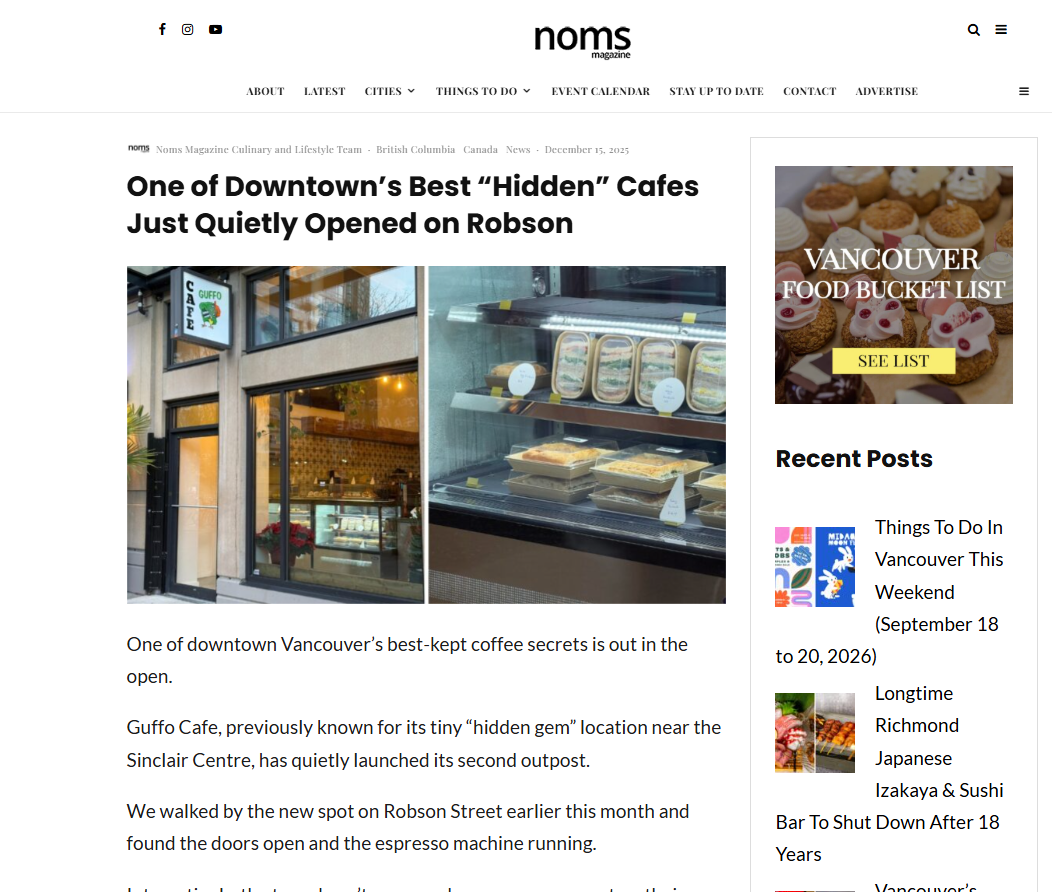
A mention of your business name and city on a local news site, a community blog, a supplier’s “our partners” page or a charity you sponsor is worth more than any directory. It does not need to be a link; the mention itself builds prominence. Aim for one or two a month: sponsor something, get quoted, write for the local paper’s business section, get listed by your suppliers.
18. Tracking and reporting
Three sources, checked monthly:
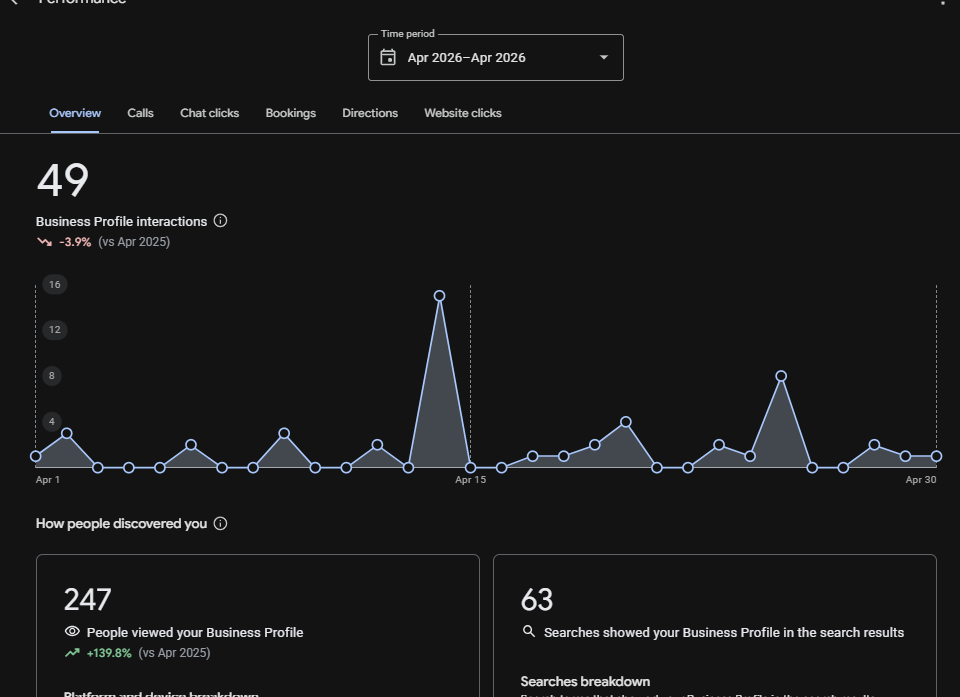
- Profile performance (in the profile manager): interactions, calls, direction requests, website clicks, and the searches you appeared for. Export the search terms - they are your next services and post topics.
- Geo-grid rank tracker from step 1.1: the only way to see how you rank across the city rather than from your own chair.
- GA4 with the UTM tags: what GBP visitors did on the site, and whether they converted.
Call tracking closes the loop: the profile only counts mobile Call taps, so a tracking number as the primary phone captures desktop and copied-number calls too.
19. Monthly maintenance
The profile is never “done”. Thirty minutes a week:
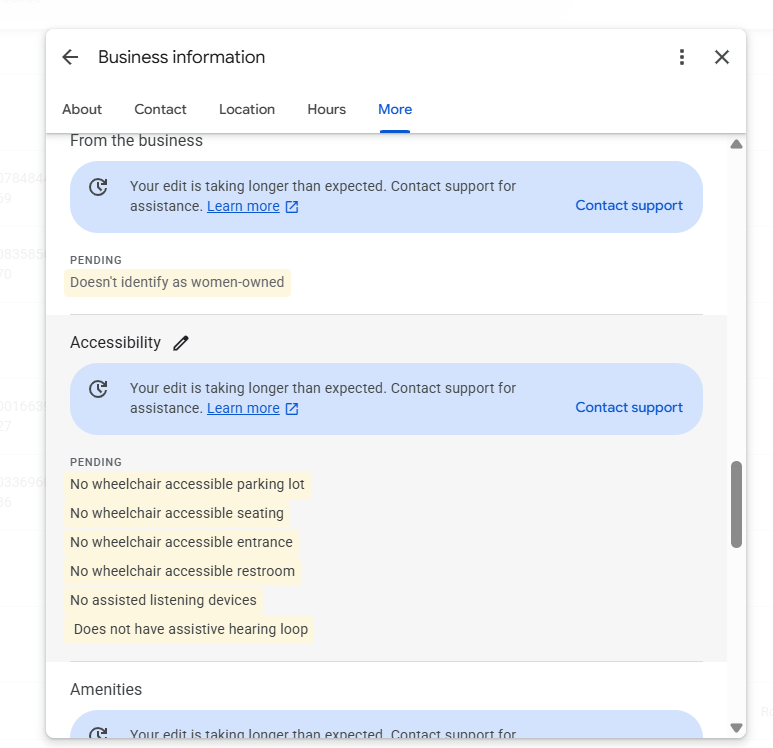
- Check for Google-applied edits (name, hours, categories, services) and reject wrong ones. Anyone can “suggest an edit” on your profile and Google often applies it silently.
- Reply to new reviews and Q&A.
- Publish 4 posts and 2-4 photos.
- Add special hours for the month ahead.
- Check the rank grid and the search terms report.
- Quarterly: re-check categories, services, attributes and citations.
20. What not to do
Things we see done to profiles that cost more than they gain:
- Keyword stuffing the name. Reverted, reported or suspended, and in medical/legal niches it is the fastest way to lose the profile.
- Fake or bought reviews. Google is good at detecting them now, and a review removal wave takes the real ones with it.
- Automated citation blasts and data aggregator “syndication”. Creates listings you cannot edit or delete.
- Link indexer services for your citations. In our tests they lowered traffic; let listings index naturally.
- Private blog networks pointed at the Maps listing. Works until it does not; when it fails the profile goes with it.
- Bought clicks and “engagement signals”. Detectable, expensive, and the gains vanish when you stop paying.
- Changing core fields casually. Name, address, primary category, phone and website changes together can trigger re-verification. Change one at a time and keep proof of business ready.
- Ignoring the profile after setup. Stale photos, unanswered reviews and unchecked edits are how a #1 profile slides to #7 in a year - we have rebuilt more than one.
If you would rather hand this to someone: North SEO runs exactly this checklist for local businesses across BC and Canada. Local SEO is priced by city size, from $795/month, month-to-month. See pricing or book a call.
Frequently asked questions
Does the Google Business Profile description affect rankings?
No. Google has confirmed the description is not used in ranking and independent tests agree. Write it as an ad for a human reader, without phone numbers, URLs or prices.
What is the most important Google Business Profile ranking factor?
Your primary category, combined with the distance from your verified address to the searcher. Reviews, services and the business name follow.
Can I add keywords to my business name?
Only if it is your real, registered name shown on signage and your website. Keyword-stuffed names violate Google's guidelines and are reverted, reported or suspended.
How often should I post on Google Business Profile?
Once a week is a sustainable cadence. We front-load 10 posts in the first month of a new engagement, then move to weekly.
Do service areas extend where I rank?
No. Rankings are anchored to the verified address. Service areas only tell customers where you travel.
How long does Google Business Profile optimization take to work?
Expect a short dip after big edits, visible movement in the local pack within 4-8 weeks, and steady lead flow by month 3-6 as reviews, citations and mentions compound.
Rather hand this to someone?
North SEO runs exactly this checklist for local businesses across BC and Canada. Local SEO is priced by city size, from $795/month, month-to-month.
See pricing Book a callHow this article was made: written by Serhii Dovzhenko from the North SEO Local SEO task list and the internal training video that walks through it, with Claude used for structuring and editing. All process details are from live client work.